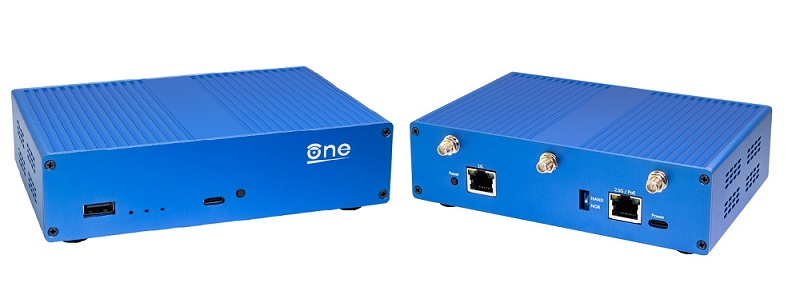
SNACBox
Supported Hardware
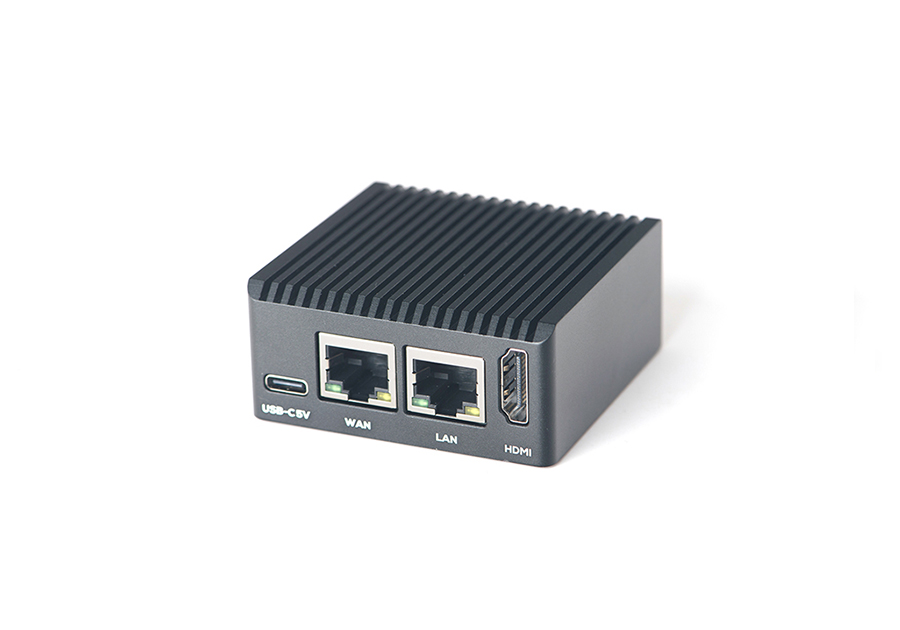
Friendly Elec NanoPi R3S SNACBox (Supported)
Friendly Elec
- https://www.friendlyelec.com/index.php?route=product/product&product_id=311
Mini Dual Gigabit Ethernet Base Board and Metal case designed around the RK3566 Rock Chip Arm SoC.
Openwrt 25.12+ Firmware
Enter chosen hardware “Friendly”
Choose version “25.12.6”
Select based on the Hardware choice made “Friendly Elec NanoPi R3S (64bit)”
Choose “Customize installed packages”
Goto “Installed Packages”
Add to the end of the list
Additional Packages
parted losetup resize2fs blkid php8 php8-cli php8-mod-curl luci-mod-rpc luci-ssl at jq adguardhome luci-base luci-theme-openwrt-2020 curl kmod-veth kmod-loop kmod-fuse
iPhone Tethering
kmod-usb-net-ipheth usbmuxd libimobiledevice usbutils libusbmuxd libplist
Goto “Script to run on first boot (uci-defaults)”
Add this resize script to resize the storage.
#!/bin/sh
# expand-root.sh - grow the root ext4 partition and filesystem to fill the disk
set -eu

# --- Identify the root device ---
FSTYPE="$(awk '$5=="/"{for(i=6;i<=NF;i++) if($i=="-"){print $(i+1); exit}}' /proc/self/mountinfo | tail -n1)"
MAJMIN="$(awk '$5=="/"{print $3}' /proc/self/mountinfo | tail -n1)"

BLK_SYS="$(readlink -f "/sys/dev/block/$MAJMIN")"
ROOT_PART="$(cat "$BLK_SYS/partition")"
ROOT_DEV="/dev/$(basename "$BLK_SYS")"
ROOT_DISK="/dev/$(basename "$(dirname "$BLK_SYS")")"

# --- Grow the partition (-f also fixes the GPT backup header if the image was written to a larger disk) ---
parted -f -s "$ROOT_DISK" resizepart "$ROOT_PART" 100%

# --- Grow the filesystem online via a loop device ---
LOOP_DEV="$(losetup -f)"
losetup "$LOOP_DEV" "$ROOT_DEV"
trap 'losetup -d "$LOOP_DEV" 2>/dev/null || true' EXIT
resize2fs -f "$LOOP_DEV"
losetup -d "$LOOP_DEV"
NEW_UUID=`blkid ${ROOT_DISK}p${ROOT_PART} | sed -n 's/.*PARTUUID="\([^"]*\)".*/\1/p'`
#sed -i "s/PARTUUID=[^ ]*/PARTUUID=${NEW_UUID}/" /boot/cmdline.txt
trap - EXIT

# --- Only neede in Pi CM4 devices ---
#echo 'dtoverlay=dwc2,dr_mode=host' >> /boot/config.txt

reboot
Click “Request Build”
Click and download “Factory (Ext4)”
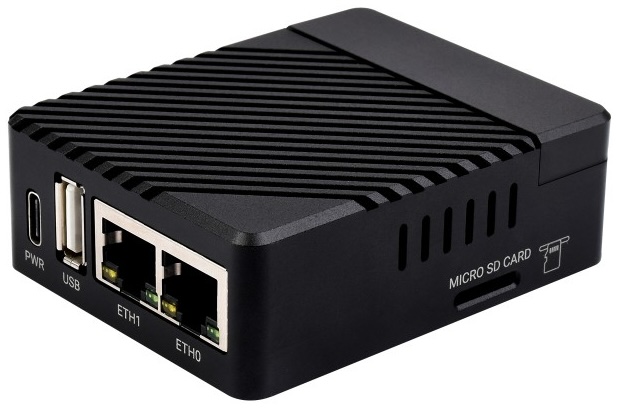
Raspberry Pi CM4 SNACBox (Supported)
Waveshare
- https://www.waveshare.com/cm4-dual-eth-mini.htm?sku=23853
Mini Dual Gigabit Ethernet Base Board/Mini-Computer Designed for Raspberry Pi Compute Module 4.
Raspberry Pi
- https://www.raspberrypi.com/products/compute-module-4/?variant=raspberry-pi-cm4001000
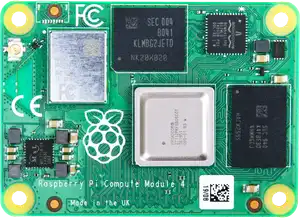
The power of Raspberry Pi 4 in a compact form factor for deeply embedded applications. Raspberry Pi Compute Module 4 incorporates a quad-core ARM Cortex-A72 processor, dual video output, and a wide selection of other interfaces
Openwrt 25.12+ Firmware
Enter chosen hardware “Raspberry”
Choose version “25.12.6”
Select based on the Hardware choice made “Raspberry Pi (4B/400/CM4) (64bit)”
Choose “Customize installed packages”
Goto “Installed Packages”
Add to the end of the list
Additional Packages
parted losetup resize2fs blkid php8 php8-cli php8-mod-curl luci-mod-rpc luci-ssl at jq adguardhome luci-base luci-theme-openwrt-2020 curl kmod-veth kmod-loop kmod-fuse
Waveshare and CM4 Kernel Packages
kmod-usb-core kmod-usb2 kmod-usb3 kmod-dwc2
iPhone Tethering
kmod-usb-net-ipheth usbmuxd libimobiledevice usbutils libusbmuxd libplist
Goto “Script to run on first boot (uci-defaults)”
Add this resize script to resize the storage.
#!/bin/sh
# expand-root.sh - grow the root ext4 partition and filesystem to fill the disk
set -eu

# --- Identify the root device ---
FSTYPE="$(awk '$5=="/"{for(i=6;i<=NF;i++) if($i=="-"){print $(i+1); exit}}' /proc/self/mountinfo | tail -n1)"
MAJMIN="$(awk '$5=="/"{print $3}' /proc/self/mountinfo | tail -n1)"

BLK_SYS="$(readlink -f "/sys/dev/block/$MAJMIN")"
ROOT_PART="$(cat "$BLK_SYS/partition")"
ROOT_DEV="/dev/$(basename "$BLK_SYS")"
ROOT_DISK="/dev/$(basename "$(dirname "$BLK_SYS")")"

# --- Grow the partition (-f also fixes the GPT backup header if the image was written to a larger disk) ---
parted -f -s "$ROOT_DISK" resizepart "$ROOT_PART" 100%

# --- Grow the filesystem online via a loop device ---
LOOP_DEV="$(losetup -f)"
losetup "$LOOP_DEV" "$ROOT_DEV"
trap 'losetup -d "$LOOP_DEV" 2>/dev/null || true' EXIT
resize2fs -f "$LOOP_DEV"
losetup -d "$LOOP_DEV"
NEW_UUID=`blkid ${ROOT_DISK}p${ROOT_PART} | sed -n 's/.*PARTUUID="\([^"]*\)".*/\1/p'`
sed -i "s/PARTUUID=[^ ]*/PARTUUID=${NEW_UUID}/" /boot/cmdline.txt
trap - EXIT

# --- Only neede in Pi CM4 devices ---
echo 'dtoverlay=dwc2,dr_mode=host' >> /boot/config.txt

reboot
Click “Request Build”
Click and download “Factory (Ext4)”
Raspberry Pi 4B SNACBox (Supported)
Waveshare
- https://www.waveshare.com/usb-3.2-gen1-hub-gigabit-eth-hat.htm
USB 3.2 Gen1 and Gigabit Ethernet HUB HAT for Raspberry Pi, 3x USB 3.2 Gen1, 1x Gigabit Ethernet, driver-free.
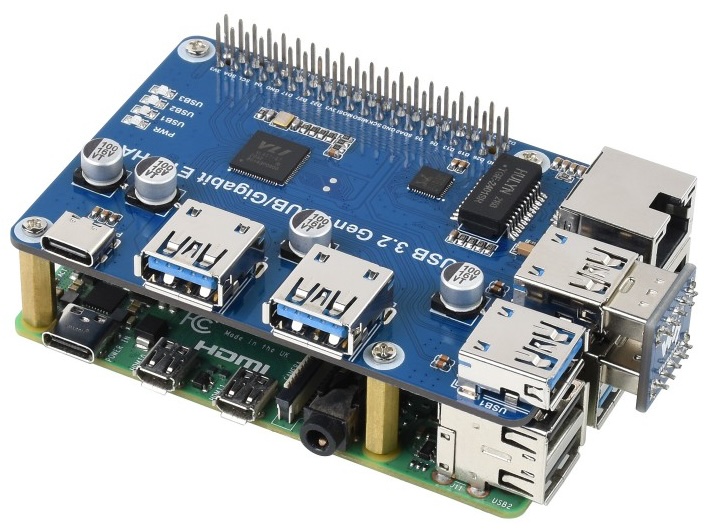
Or
Openwrt 25.12+ Firmware
Enter chosen hardware “Raspberry”
Choose version “25.12.6”
Select based on the Hardware choice made “Raspberry Pi (4B/400/CM4) (64bit)”
Choose “Customize installed packages”
Goto “Installed Packages”
Add to the end of the list
Additional Packages
parted losetup resize2fs blkid php8 php8-cli php8-mod-curl luci-mod-rpc luci-ssl at jq adguardhome luci-base luci-theme-openwrt-2020 curl kmod-veth kmod-loop kmod-fuse
Waveshare and Pi 4B Kernel Packages
kmod-usb-core kmod-usb3 kmod-usb-net-rtl8152 kmod-usb-ohci kmod-usb-uhci kmod-usb2
iPhone Tethering
kmod-usb-net-ipheth usbmuxd libimobiledevice usbutils libusbmuxd libplist
Goto “Script to run on first boot (uci-defaults)”
Add this resize script to resize the storage.
#!/bin/sh
# expand-root.sh - grow the root ext4 partition and filesystem to fill the disk
set -eu

# --- Identify the root device ---
FSTYPE="$(awk '$5=="/"{for(i=6;i<=NF;i++) if($i=="-"){print $(i+1); exit}}' /proc/self/mountinfo | tail -n1)"
MAJMIN="$(awk '$5=="/"{print $3}' /proc/self/mountinfo | tail -n1)"

BLK_SYS="$(readlink -f "/sys/dev/block/$MAJMIN")"
ROOT_PART="$(cat "$BLK_SYS/partition")"
ROOT_DEV="/dev/$(basename "$BLK_SYS")"
ROOT_DISK="/dev/$(basename "$(dirname "$BLK_SYS")")"

# --- Grow the partition (-f also fixes the GPT backup header if the image was written to a larger disk) ---
parted -f -s "$ROOT_DISK" resizepart "$ROOT_PART" 100%

# --- Grow the filesystem online via a loop device ---
LOOP_DEV="$(losetup -f)"
losetup "$LOOP_DEV" "$ROOT_DEV"
trap 'losetup -d "$LOOP_DEV" 2>/dev/null || true' EXIT
resize2fs -f "$LOOP_DEV"
losetup -d "$LOOP_DEV"
NEW_UUID=`blkid ${ROOT_DISK}p${ROOT_PART} | sed -n 's/.*PARTUUID="\([^"]*\)".*/\1/p'`
sed -i "s/PARTUUID=[^ ]*/PARTUUID=${NEW_UUID}/" /boot/cmdline.txt
trap - EXIT

# --- Only neede in Pi CM4 devices ---
#echo 'dtoverlay=dwc2,dr_mode=host' >> /boot/config.txt

reboot
Click “Request Build”
Click and download “Factory (Ext4)”
USB Ethernet Dongle
Needs to be a USB-A Ethernet Gigabit dongle.
Raspberry Pi
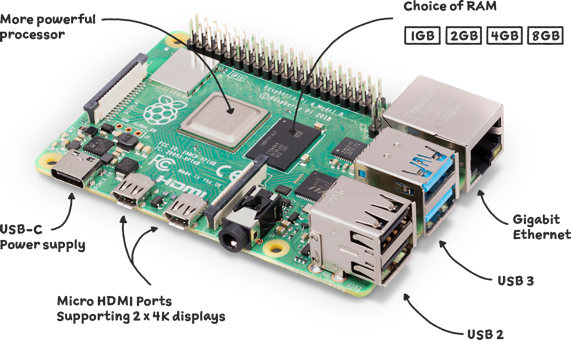
- https://www.raspberrypi.com/products/raspberry-pi-4-model-b/
Your tiny, dual-display, desktop computer …and robot brains, smart home hub, media centre, networked AI core, factory controller, and much more
Raspberry Pi CM5 SNACBox (Expermental)
Waveshare
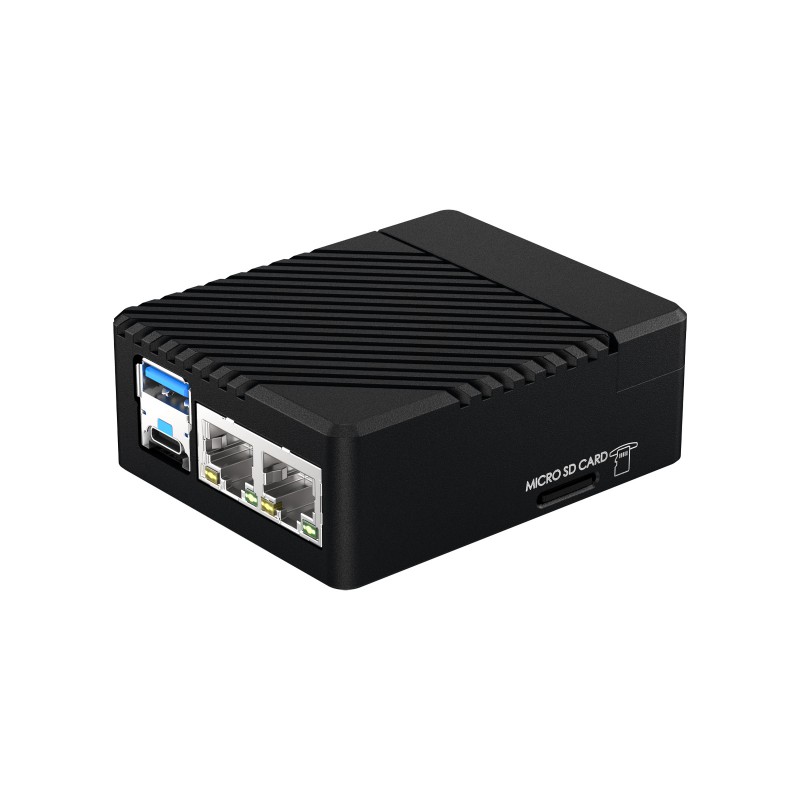
- https://www.waveshare.com/cm5-dual-eth-mini.htm?sku=31075
Mini Dual Gigabit Ethernet Base Board/Mini-Computer Designed for Raspberry Pi Compute Module 5.
Raspberry Pi
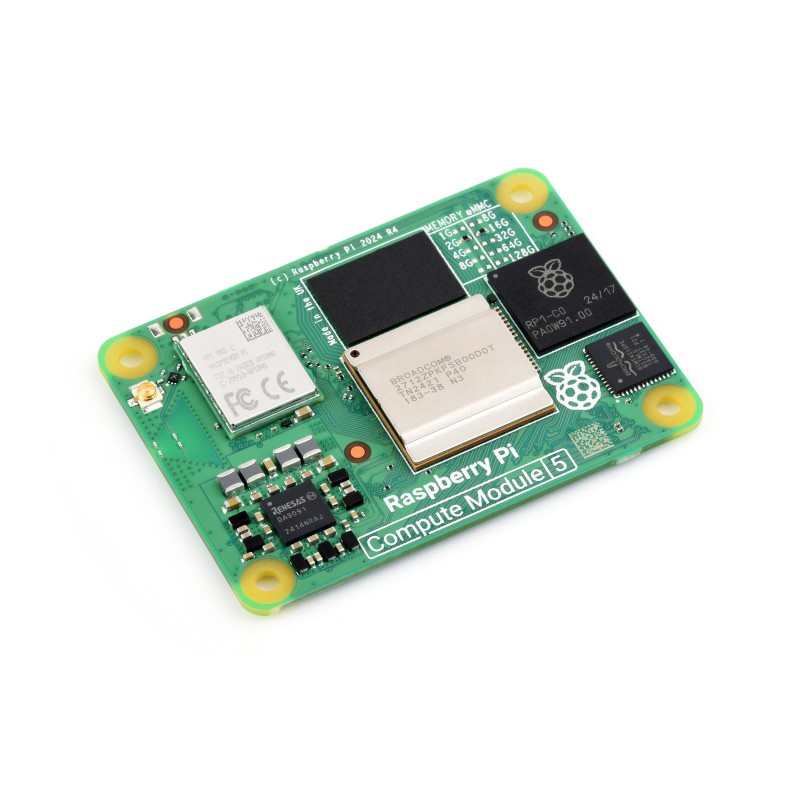
- https://www.raspberrypi.com/products/compute-module-5/?variant=cm5-104032
Compute Module 5 is a powerful and scalable system on module with a 64-bit Arm processor @ 2.4GHz, an I/O controller, video and PCIe interfaces, and a range of wireless, SDRAM and eMMC options
Raspberry Pi 5 SNACBox (Expermental)
Waveshare
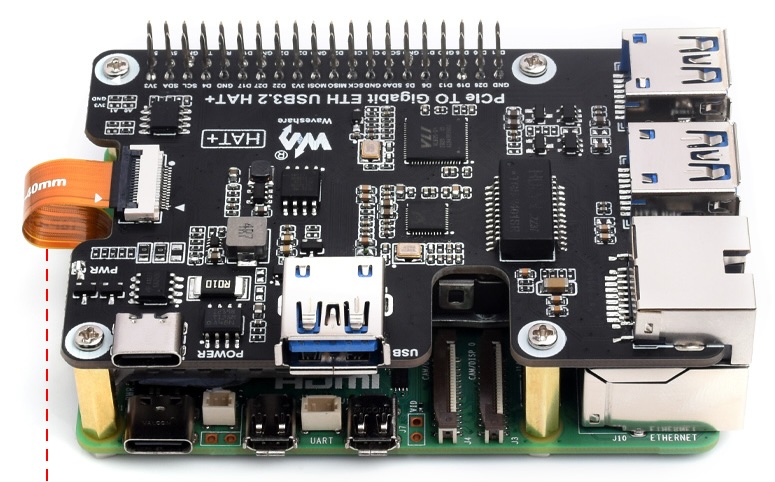
- https://www.waveshare.com/pcie-to-gigabit-eth-usb3.2-hat-plus.htm
PCIe To Gigabit Ethernet And USB 3.2 Gen1 HAT For Raspberry Pi 5, 3x USB 3.2 Gen1, 1x Gigabit Ethernet, Driver-Free, Plug And Play, Raspberry Pi 5 PCIe HAT.
Or
USB Ethernet Dongle
Needs to be a USB-A Ethernet Gigabit dongle.
Raspberry Pi
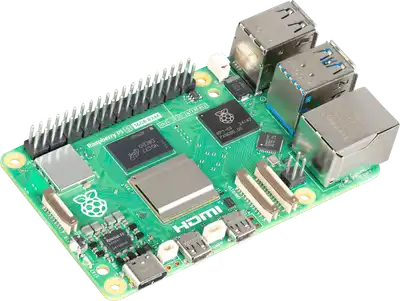
- https://www.raspberrypi.com/products/raspberry-pi-5/
The everything computer. Optimised. With 2–3× the speed of the previous generation, and featuring silicon designed in‑house for the best possible performance, we’ve redefined the Raspberry Pi experience.
GL iNet Brume 2 (GL-MT2500) (Expermental)
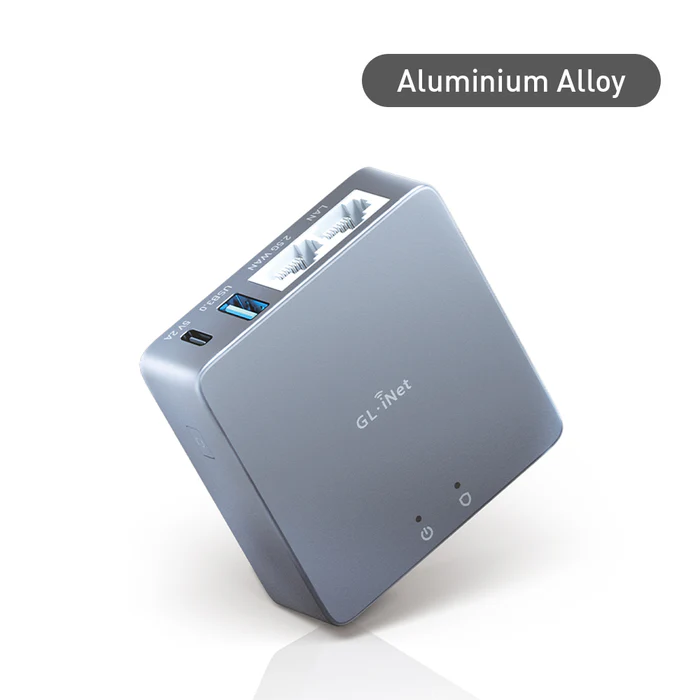
Brume 2
- https://store-eu.gl-inet.com/products/brume-2-gl-mt2500-vpn-security-gateway
Brume 2 (GL-MT2500/GL-MT2500A) is a lightweight and powerful VPN Gateway that runs on OpenWrt v21.02 operating system. It is compactly designed to host a VPN server at home, or run SD-WAN (Site-to-Site) for small and medium-sized enterprises.
Note: will need Luci installed to work.

OpenWRT One SNACBox (Expermental)
Banana Pi
- https://docs.banana-pi.org/en/OpenWRT-One/BananaPi_OpenWRT-One
The “OpenWrt One/AP-24.XY” router board based on MediaTek MT7981B (Filogic 820) SoC and MediaTek MT7976C dual-band WiFi 6 chipset.It is the first official development board of the OpenWRT open source community
M.2 NVME SSD M Key
Needs a small 2230 or 2242 NVME SSD to handle the larger apps like Docker and ADGuardHome
Note: This box has not been fully tested yet.